
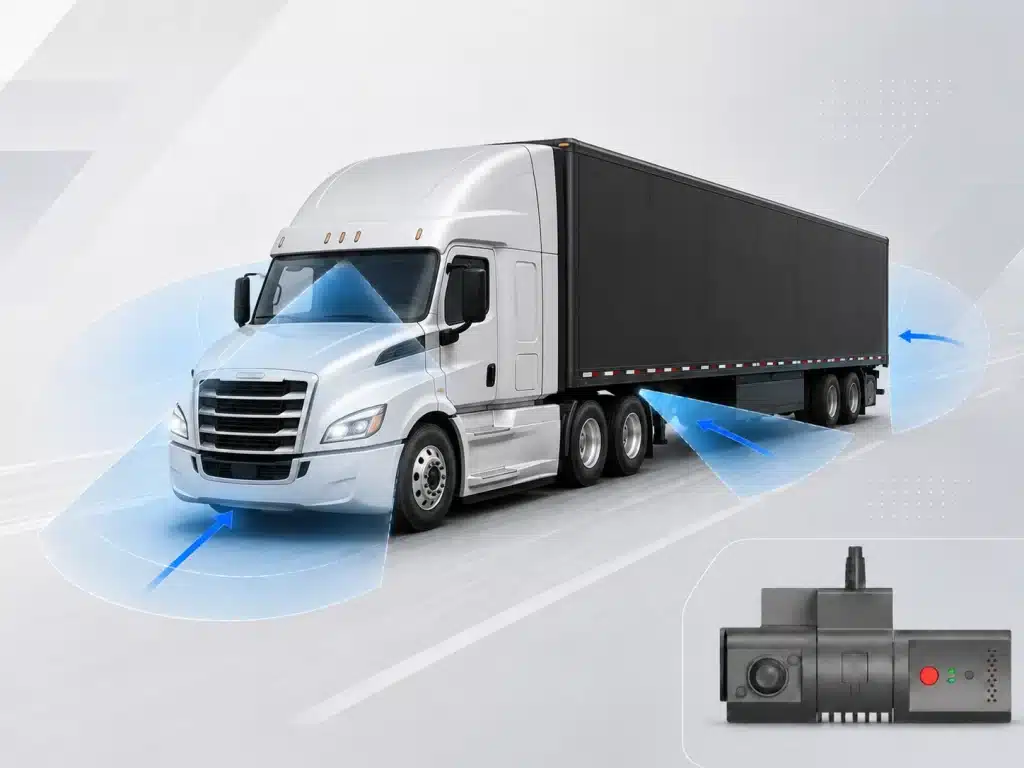
Camera Views Available
Front, cab, sides, rear and trailer
A Forward-Facing Camera Covers the Windshield. Your Truck Has Four More Sides.
A standard dual-lens dash cam captures the road ahead and the driver. That is two angles out of five or more that matter when a commercial truck is involved in an incident.
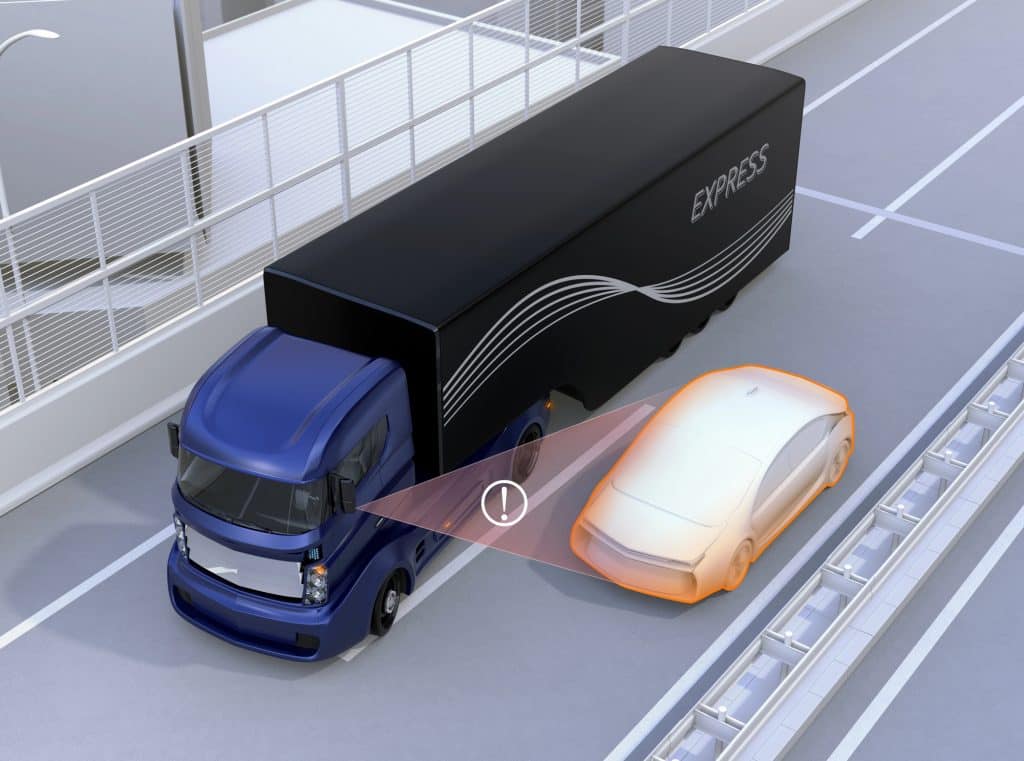
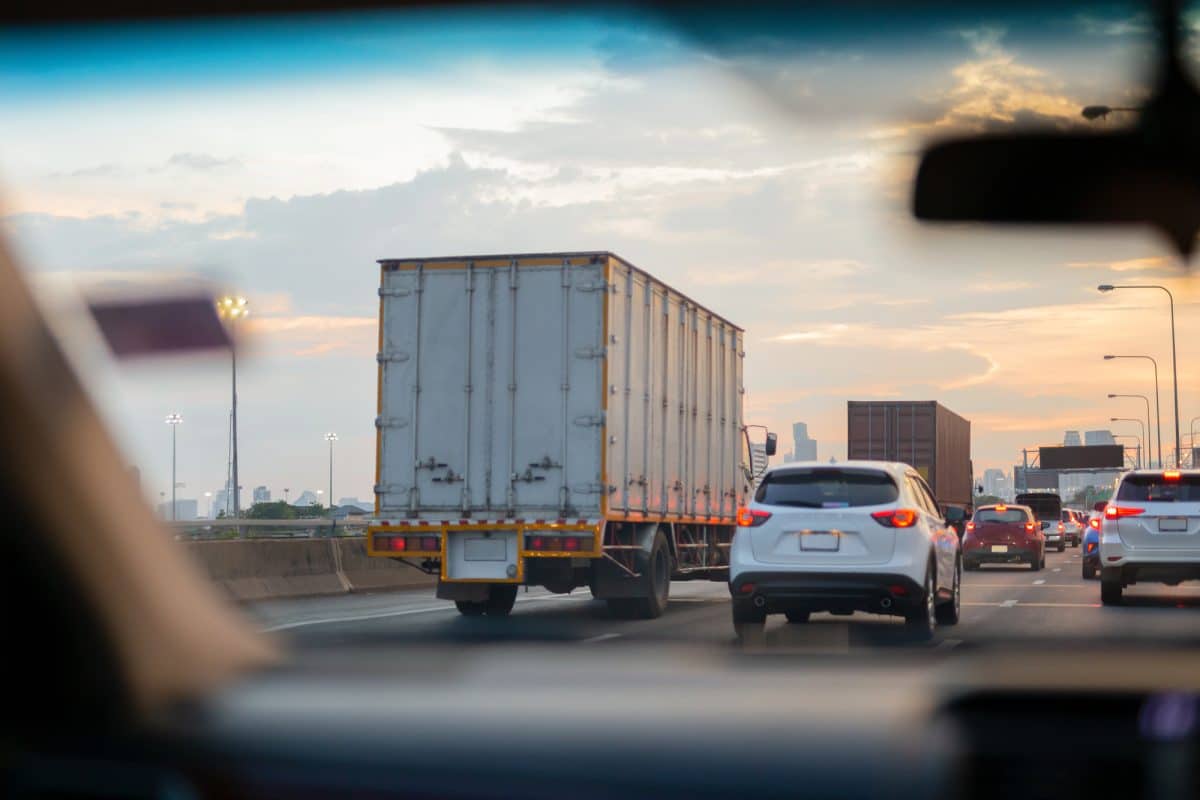
A Class 8 vehicle has massive blind spots on both sides, a rear exposure zone that extends more than 200 feet, and a trailer connection point that creates liability every time a load is hitched.
When an accident involves a lane change, a right-turn squeeze, a backing collision, or a trailer separation event, a windshield camera captures none of it. Insurance carriers and legal teams reviewing truck claims look for multi-angle documentation. Without it, the fleet bears the burden of proof with incomplete evidence.
For fleets that need more than dual-lens coverage, see our multi-camera truck camera system.
TrackNet’s truck camera system is designed to cover the gaps that single-camera and dual-lens systems leave behind:
- Front: Road conditions, lane position, traffic behavior, and license plates.
- Cab: Driver attentiveness, fatigue indicators, seatbelt compliance, and phone use.
- Passenger side: Right-turn squeeze zone, merging traffic, cyclist exposure, and pedestrian exposure.
- Driver side: Lane-change blind spot and mirror-check validation.
- Rear / trailer: Backing incidents, dock approaches, trailer hitch confirmation, and following-vehicle behavior.
How Many Cameras Does a Commercial Truck Need?
A commercial truck typically benefits from three to five cameras covering the front, cab, both sides, and rear or trailer views. The exact configuration depends on the vehicle type, route environment, and the fleet’s liability profile. TrackNet recommends a configuration during the demo based on the fleet’s trucks and operating conditions.
Trucking Fleets Face the Highest Stakes in Commercial Litigation
Trucking Accidents Carry Greater Financial and Legal Exposure
In fatal two-vehicle crashes between a large truck and a passenger vehicle, 96 percent of those killed were in the passenger vehicle, not the truck. Deaths in large truck crashes were 58 percent higher in 2024 than in 2009. FMCSA estimates the average fatal truck accident costs $15.2 million. Nuclear verdicts, jury awards exceeding $10 million, have become increasingly common in trucking litigation over the past decade.
The combination of higher damages, greater injury severity, and the complexity of multi-party truck accidents makes these cases disproportionately costly for fleets without strong documentation.
Standard windshield dash cams leave most of the truck uncovered. Side impacts, backing collisions, right-turn pedestrian strikes, and trailer-separation events are all incidents where a forward-facing camera may capture nothing useful.
Common Fleet Concerns
What Trucking Fleet Managers Tell Us They Fear Most
- A side-impact or right-turn accident with no side-camera footage to prove the truck driver was not at fault.
- A backing collision at a dock or warehouse with no rear-camera evidence.
- A nuclear verdict where the plaintiff argues that the fleet chose not to install adequate camera coverage.
- Footage gaps on long-haul routes through cellular dead zones.
- A DOT compliance audit that reveals gaps in safety documentation.
Why Do Trucking Fleets Need Multi-Camera Systems Instead of a Single Dash Cam?
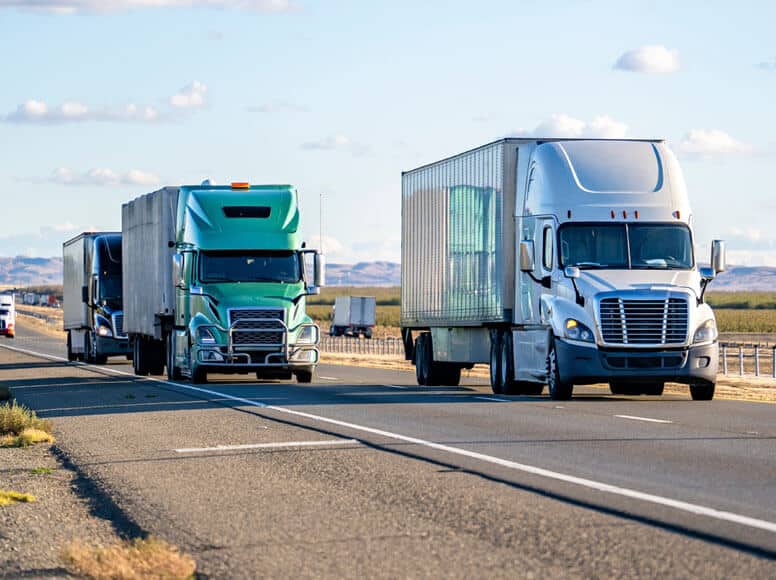
Commercial trucks have large blind spots on both sides, a rear zone extending more than 200 feet, and trailer connection points that create liability during hitching and backing. A single forward-facing camera captures none of these angles. Multi-camera truck systems provide front, cab, side, and rear coverage tied to GPS and timestamps, giving fleet operators documentation from every angle of an incident.
“FMCSA’s 2025 Crash Cost Methodology puts the cost of a fatal large-truck crash at $15.2 million. With greater weight and longer stopping distances, trucks carry a much higher potential for catastrophic loss.”
FMCSA Crash Cost Methodology, 2025
What Cameras are Included in a Truck Camera System?
TrackNet configures truck camera systems based on how your trucks actually operate, not a one-size-fits-all kit. During the demo, we will recommend the right camera positions for your vehicle types, routes, and liability profile.
Front Road-Facing Camera
Captures the full lane width, license plates, road hazards, and surrounding traffic behavior. Powered by an Ambarella CV25 processor for reliable road-facing video.
Cab Driver-Facing Camera
Provides night vision without requiring cabin light. Monitors driver attentiveness, fatigue, phone use, and seatbelt compliance.
Passenger Side Camera
Eliminates the right-turn squeeze-zone blind spot and documents merging traffic, cyclists, pedestrians, and objects along the passenger side.
Driver Side Camera
Covers the driver-side lane-change blind spot and helps validate mirror-check behavior during lane transitions and merging events.
Rear Following Traffic Camera
Documents following-vehicle behavior and tailgating, capturing rear-impact events and helping establish fault in rear-end collisions.
Trailer and Backing Camera
Covers backing approaches, dock arrivals, and trailer hitch confirmation at pickup and drop-off. Especially important for yard and warehouse operations.
Installation Recommendation
Many fleets can self-install standard dual-camera configurations with front and cab views. For multi-camera truck configurations, TrackNet recommends trained installation to protect recording hardware and maintain applicable warranty coverage.
When a Truck is Involved, You Need Evidence From Every Angle
Multi-Angle Evidence for Faster, Stronger Claim Defense
Truck accidents carry higher financial exposure than passenger-vehicle incidents because they involve larger damages, more complex liability chains, and greater regulatory scrutiny. Fleets that enter claims negotiations without comprehensive video documentation are at a significant disadvantage.
1
An event triggers a clip across all active cameras, not only the front-facing lens.
2
Each clip is tagged with the vehicle ID, driver, timestamp, and GPS coordinates.
3
The fleet manager reviews the synchronized multi-angle footage in the TrackNet dashboard.
4
Front, cab, side, and rear clips are exported for a complete incident reconstruction.
FMCSA Compliance and Safety Documentation
Fleet safety directors and DOT compliance officers increasingly rely on onboard camera systems as part of their FMCSA safety management documentation. Multi-camera video provides timestamped evidence of driver hours-of-service behavior, seatbelt compliance, cell phone use, and road conditions, all categories reviewed during CSA audits and post-accident investigations.
TrackNet’s system logs driver events, vehicle dynamics, and GPS data in a format that supports compliance documentation review. When a DOT audit or post-accident investigation requires a reconstruction of driver behavior, fleet managers can pull synchronized multi-angle video, GPS route history, and vehicle diagnostic data from a single platform.

Fleets using commercial camera systems report lower claim costs and faster resolution when multi-angle video evidence is presented during negotiations.
1,200 Miles of Dead Zones? Every Frame Still Captured.
Continuous Video Coverage Even When Cellular Service Drops
Long-haul trucks spend hours on routes where cell coverage drops, including rural interstates, mountain passes, and agricultural corridors. These are also stretches where incidents occur and where camera systems that depend on continuous cellular upload can leave gaps. TrackNet’s Store and Forward technology was built for this reality.
Record
All cameras record continuously to onboard encrypted SD cards with 2 × 512 GB capacity. Full camera coverage continues even when the truck has no cellular signal.
Store
Incident-triggered clips from every active camera angle are flagged and prioritized for upload. The footage remains stored locally until network connectivity is confirmed.
Forward
When the truck re-enters AT&T or T-Mobile 4G coverage, pending footage automatically syncs to the fleet’s encrypted cloud account. No manual action is required.
Identify and Correct Risky Driving Before It Becomes an Incident
AI-Powered Monitoring Across the Entire Camera System
TrackNet monitors driver behavior, roadway conditions, vehicle movement, and camera performance across the full system, not only the forward-facing lens. Safety teams receive a complete view of risk with the context needed for immediate intervention and follow-up coaching.
Road-Facing ADAS
- Lane-drift detection
- Near-collision alerts
- Rolling-stop detection
- Tailgating detection
Driver Monitoring
- Distracted-driving detection
- Phone-use and forward-gaze monitoring
- Fatigue and eye-closure indicators
- Seatbelt non-compliance
Vehicle Dynamics
- Collision alerts
- Harsh acceleration and braking
- Sharp turning and swerving
- Speeding alerts
Camera Health Monitoring
- Camera-angle adjustment alerts
- Lens-obstruction detection
- Tamper monitoring
- System-status visibility
One Connected Safety View
Driver behavior, roadway risk, vehicle movement, and camera health are reviewed together so fleet managers can coach sooner and investigate incidents with stronger context.

Immediate Alerts and Coaching Events
Risky behavior triggers an immediate in-cab alert and sends the relevant incident clip to fleet managers for review and coaching.
Multi-Camera Truck System vs. Single Dash Cam
| Capability | Consumer Dash Cam | TrackNet Dual Lens | TrackNet Multi-Camera |
|---|---|---|---|
| Coverage angles | Front only, typically 1 lens | Front and cab, 2 lenses | Front, cab, sides, rear and trailer, typically 3–6 cameras |
| Blind-spot protection | None | None | Side and rear cameras cover merge zones, backing, and docking |
| Claims evidence | Single-angle footage, often insufficient for truck disputes | Road and cab angles with GPS and timestamps | Synchronized multi-angle video with GPS and timestamps |
| Driver monitoring | None | In-cab AI for distraction, fatigue, phone use, and seatbelt status | In-cab AI for distraction, fatigue, phone use, and seatbelt status |
| AI safety alerts | Basic or none | ADAS, vehicle dynamics, and camera-health monitoring | ADAS, vehicle dynamics, and camera-health monitoring |
| GPS and route context | GPS logging on some models, no fleet dashboard | Live tracking, geofences, and route history tied to video | Live tracking, geofences, and route history tied to video |
| Store and Forward | Records to SD card only, no automatic upload | Records locally and uploads when connected | Records locally across cameras and uploads when connected |
| Cloud retention | Local SD card only | 3–6 months, AES-256 encrypted, role-based access | 3–6 months, AES-256 encrypted, role-based access |
| Professional installation | Self-install | Self-install supported | Available and recommended for multi-camera setups |
| Fleet platform | None, footage pulled from the card by hand | Video review only | Video review, driver scorecards, DTC codes, and maintenance alerts |
What Is the Difference Between a Multi-Camera Truck System and a Single Dash Cam?
A multi-camera truck system places cameras at the front, cab, sides, and rear of the vehicle, creating synchronized, GPS-tagged video from every angle. A dual-lens dash cam provides both road-facing and driver-facing coverage, making it a stronger fleet option than a basic consumer camera, but it still cannot capture the side blind spots, backing zones, and trailer connections covered by a multi-camera system. These additional angles are often the areas insurance carriers and legal teams examine when evaluating disputed commercial truck claims.
Video + GPS + Vehicle Data in One Platform
TrackNet combines multi-camera truck video + GPS tracking with operational data so fleet managers do not need separate systems for tracking, video, and diagnostics.
- Live GPS tracking with route history and speed data.
- Geofence alerts when trucks enter or exit designated zones.
- OBD-II and J1939 vehicle diagnostics, including odometer, fuel, battery, VIN, and DTC engine fault codes.
- Incident review by location, vehicle, driver, or event type, with multi-angle video and map context displayed side by side.

Real Footage from Commercial Truck Fleets
Below are examples captured from real truck fleet environments showing video clarity, multi-angle context, and the evidence available for claims defense and driver coaching.
Dash Cam and GPS Tracking Solutions by Industry
Commercial & Delivery Fleets
Dual-cam setups for vans, box trucks, and last-mile vehicles. Driver accountability and claims defense for high-frequency stop routes.
Construction & Heavy Equipment
Hardwired and battery-powered GPS trackers for equipment and vehicle fleets. Theft deterrence and jobsite accountability.
Emergency Services
Ambulance, fire, and first-responder dash cam systems. Incident documentation for liability protection and response-time verification.
Railroad & Transit
Shortline railroad camera systems for conductor monitoring, speed compliance, and crossing-incident documentation.
Trucking & Long-Haul
Multi-camera systems for OTR and regional carriers. DOT compliance video, hours-of-service integration, and route-based GPS tracking.
Field Service Fleets
Dash cam and GPS systems for service vans, utility trucks, and mobile technicians. Route verification, job-site arrival proof, and driver safety across dispersed fleets.
25 Years Deploying Camera Systems on Commercial Trucks
Built on More Than 25 Years of Commercial Fleet Experience
TrackNet has been serving commercial trucking fleets for more than 25 years. We started when fleet safety meant a paper log and a CB radio. We have deployed camera systems on everything from straight trucks to 53-foot tractor-trailers, and we understand that a multi-camera truck installation requires different expertise than a standard dual-camera deployment.
We work directly with trucking fleets, not through resellers. When you call TrackNet, you speak with a fleet specialist who understands Class 8 cab wiring, trailer-disconnect scenarios, and systems built for drivers who spend up to 11 hours a day on the road.
Every TrackNet truck camera system includes hands-on onboarding support and access to our team for the life of the deployment. If something does not work, we fix it.
Years deploying systems on commercial trucks
Trucks supported across fleets of different sizes
AT&T and T-Mobile certified connectivity
FCC and PTCRB certified hardware
Commercial Truck Dash Cam FAQs:
Most fleets begin with a front-and-cab (dual-lens) setup and scale up with side and rear cameras as route and liability needs grow. There is no fixed number; the right configuration comes out of the demo, where we map camera positions to your vehicle types and blind-spot exposure.
The most important factors are camera coverage (front, cab, sides, and rear), video quality (1080p HD minimum for road-facing), cellular connectivity with Store and Forward for long-haul routes, cloud retention length (TrackNet retains footage for 3 to 6 months, with incident clips retained longer on request), AI driver monitoring for coaching, and professional installation support for multi-camera configurations. GPS integration and a fleet management dashboard that ties video to location and driver data are also essential for claims defense and operational oversight.
Pricing depends on the number of cameras per truck, fleet size, and installation requirements. We provide a written quote after a short call so pricing is accurate and there are no surprises. Multi-camera systems cost more than dual-lens setups but cover the blind spots that single-camera fleets leave exposed.
TrackNet does not require a long-term contract for standard deployments. During the demo, we will confirm the specific terms for your fleet size and configuration.
For front + cab (dual-lens) setups, many fleets self-install. For multi-camera truck configurations (sides + rear + trailer), TrackNet recommends professional installation to maintain hardware warranty coverage on recording hardware. It’s too complex for untrained installers to wire correctly on a Class 8 vehicle.
All cameras continue recording to onboard encrypted SD cards. When the truck reconnects to AT&T or T-Mobile 4G coverage, all stored footage uploads automatically. TrackNet calls this Store and Forward, designed specifically for the dead zones that long-haul trucking encounters daily.
TrackNet retains uploaded media in the platform for 3 to 6 months. All video is AES-256 encrypted. Incident-triggered clips can be retained longer upon request.
Yes. All active camera positions record simultaneously and footage is synchronized with GPS and timestamps. When an incident occurs, you can review the same moment from every angle in the TrackNet dashboard.
TrackNet’s ADAS and driver monitoring covers lane drift, near-collision, tailgating, driver distraction and fatigue, harsh braking and speeding, and camera health alerts (obstruction, angle, tamper). Alerts trigger in-cab notifications in real time.
Live view is available when the truck has cellular connectivity. Event clips upload automatically for after-the-fact review even when live view isn’t available.
TrackNet reads OBDII / J1939 data including odometer, fuel level, battery voltage, VIN, and DTC engine fault codes, eliminating the need for a separate telematics device on trucks equipped with the system.
Schedule a Demo + Request a Quote
See the TrackNet platform in a short demo call. After confirming fleet size and camera requirements, TrackNet will provide a tailored quote. No commitment required.
What to expect:
- A 30-minute call with a TrackNet fleet specialist
- Review of your fleet size and camera requirements
- A tailored quote with no commitment required
Questions? Call (866) 654-2226 or email info@tracknetonline.com
We don’t publish flat pricing due to fleet variables; we’ll confirm requirements and provide a tailored quote after the demo.